Tag-team your deck
from anywhere.
Up to 10 co-presenters control the same Google Slides deck through one magic link. Works inside any Zoom, Meet, or Teams call — no more "Sarah, can you share your screen?" fumbling.
The remote-presenting tax
Every co-presented remote deck breaks in three predictable ways.
Screen-share was built for one person at a time. When a second presenter joins, the seams show — and they show on the customer's screen.
The screen-share fumble
"OK Sarah, can you share your screen?" — 30 seconds of awkward silence while she finds the Zoom share button, picks the right window, and her deck loads.
The 'next slide please' loop
When one person controls the deck, every other presenter becomes a passive narrator who has to interrupt mid-sentence: "Next slide, please."
The version-mismatch panic
Someone shares the wrong copy of the deck. Half the team is looking at slide 14, the customer is looking at slide 12. The pitch never recovers.
How it works
one host installs.
everyone else just clicks a link.
Host installs once, opens the deck
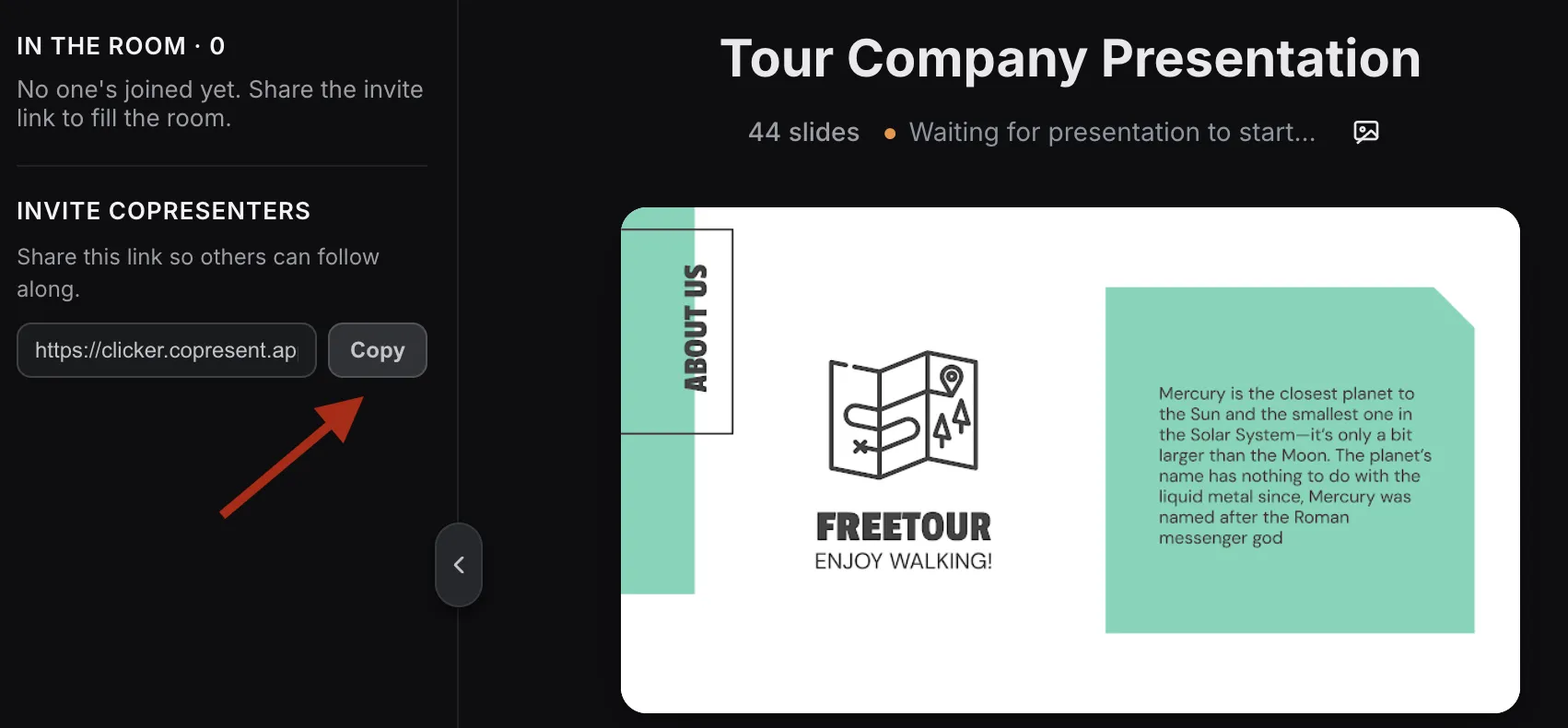
Only the meeting host installs the Chrome extension and opens the Google Slides deck on their machine. Co-presenters do nothing.
Host shares the magic link in chat
Tap the Copresent button, paste the link into Zoom/Meet/Teams chat. Co-presenters open it in any browser — no account, no install.
Anyone can advance the deck
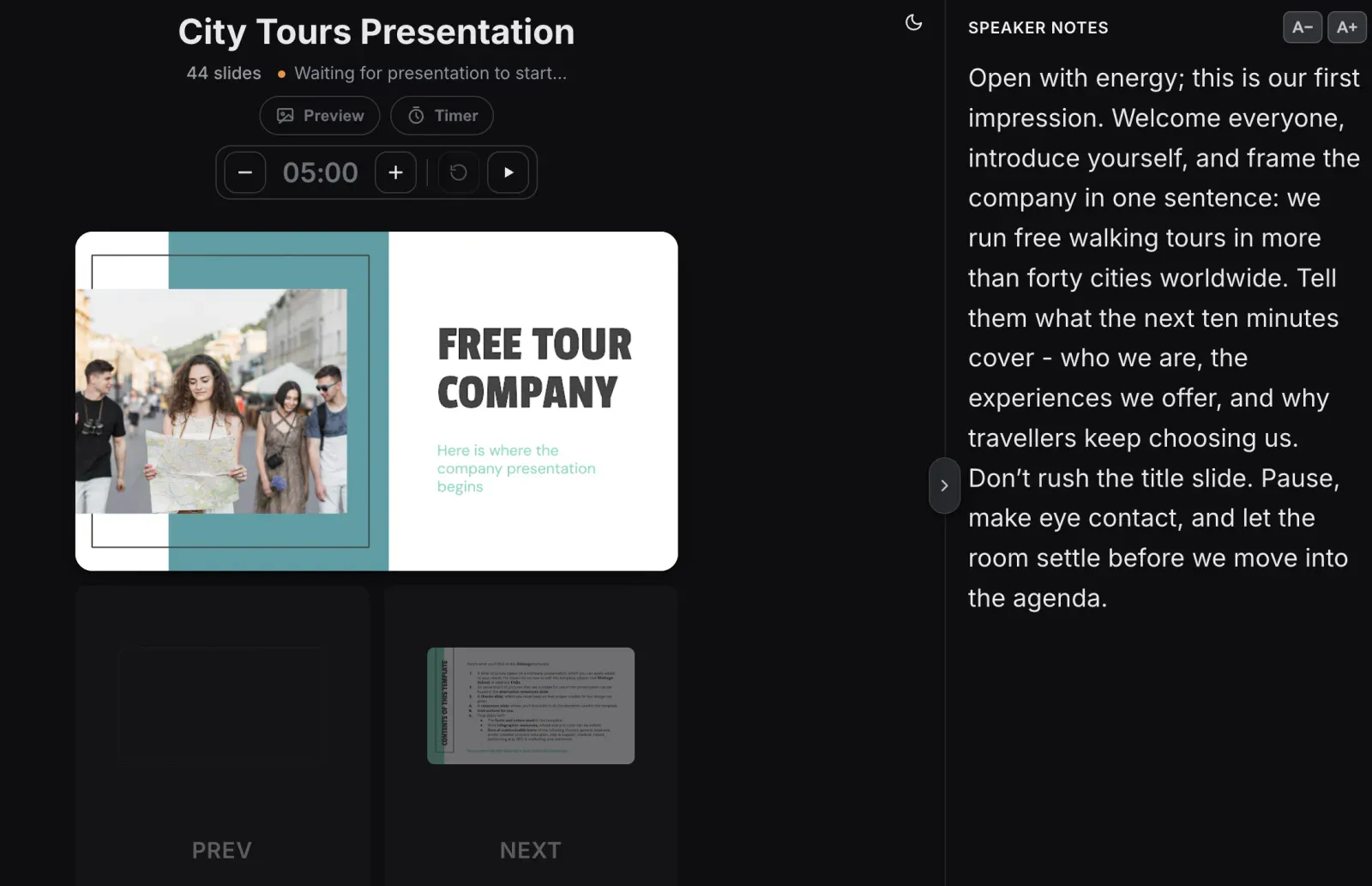
Up to 10 people can take control. When it's your turn, tap to take the clicker. Speaker notes are right there on your screen.
vs. the alternatives
built for the moment screen-share gives up.
| Copresent | Zoom/Meet screen-share | Pitch | Mentimeter | |
|---|---|---|---|---|
| Hand control to a co-presenter without re-sharing screen | Yes — one tap | No — full share-stop, share-start | Partial — needs Pitch account on both sides | No |
| Co-presenters need to install / sign in | No — they open a link | Already in Zoom/Meet | Yes — account required | Yes — account required |
| Works with your existing Google Slides deck | Yes | Yes | No — import or rebuild | No — Menti-only slides |
| Speaker notes synced across all presenters | Yes | No | Yes | No |
| Number of co-presenters who can take control | Up to 10 | 1 at a time | Unlimited (paid plan) | 1 |
| Cost | Free | Free (in your video tool) | $20+/mo per editor | $12+/mo per presenter |
built for distributed presenters
Distributed founder pitches
Co-founders in three cities pitching the same VC. Both take control of the deck without screen-share handoffs.
Virtual panels and webinars
Four panelists, one slide deck, zero awkward handoff moments. Each speaker drives their own segment from their own machine.
Remote training and onboarding
Co-trainers tag-team a session. One drives the demo, the other jumps in for Q&A — without flipping who's sharing.
Common Questions
Yes. The host shares their screen normally inside the video call. Copresent just changes who controls the slides — the audience sees the same shared screen. No integration setup, no special permissions.
No. Only the meeting host installs the Chrome extension. Co-presenters open the magic link in any browser on any device — no account, no app, no friction.
The audience sees the host's shared screen, exactly like a normal screen-share. The 'magic' is invisible to them — they just see slides advancing smoothly without any handoff fumbling.
Only one person advances at a time, but anyone can take control without asking. Tap 'Take control' — the next person's swipe moves the deck. No coordination overhead, no 'next slide please' interruptions.
Yes. The host runs the broadcast (Webinar, Live, whatever your platform calls it), and co-presenters control slides through the Copresent link. The audience only sees the broadcast feed.
Yes. Free forever for the host and all co-presenters. No per-seat pricing, no upgrade prompts.
The next handoff should be invisible.
Install Copresent once, share one link, and tag-team your deck without ever stopping screen-share again.
Get your magic link — free