You always present alone
Remote for Slides is a good fit. It has been around for years, pairs with a short code, and has an Android app and a game controller option. Copresent works for solo talks too, with notes, previews and a timer on your phone.
Remote for Slides is a solid Chrome extension for controlling Google Slides from your phone. Copresent does that too, and lets every co-presenter change the slides from their own device.
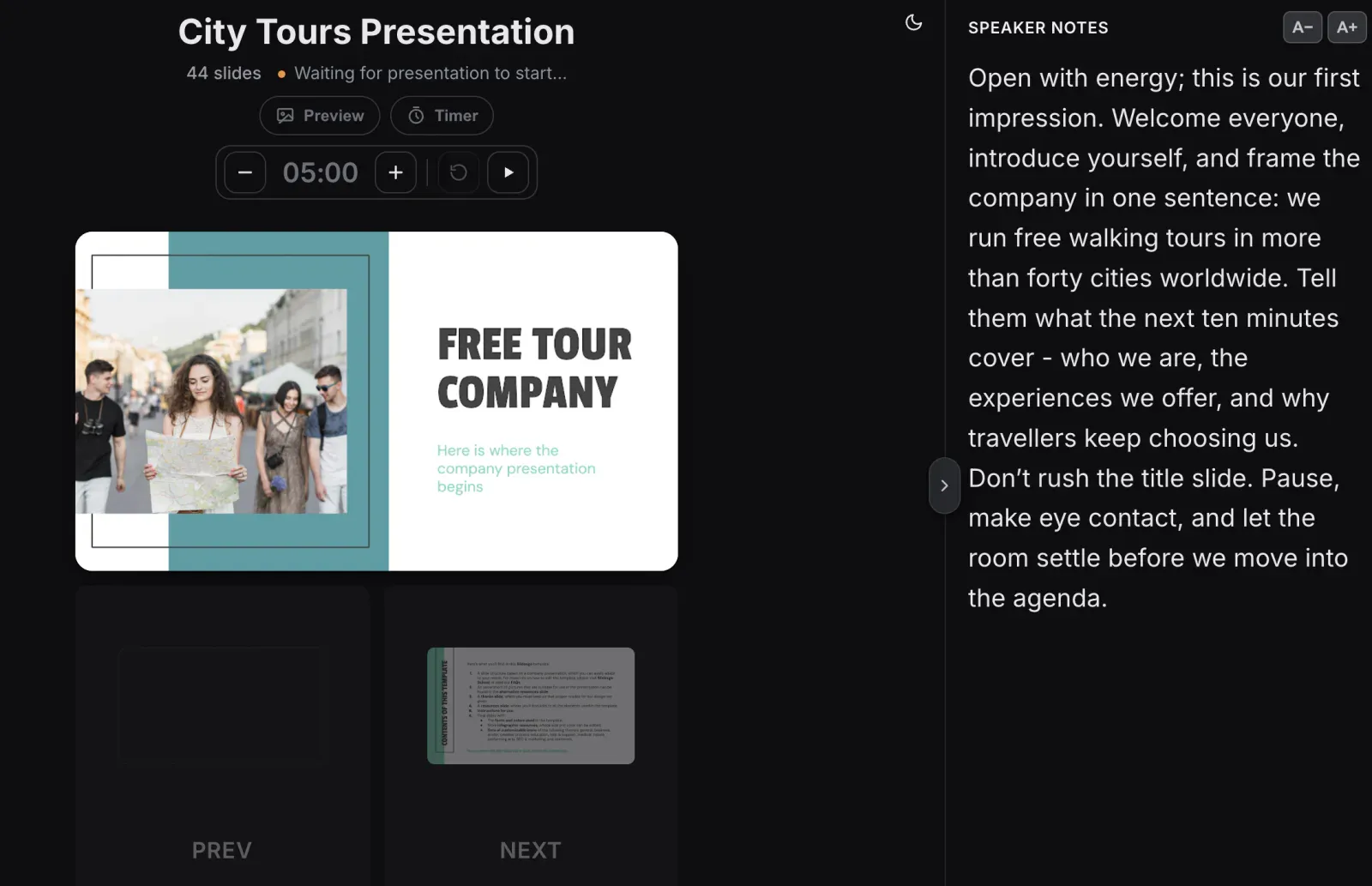
Both turn your phone into a remote for Google Slides. The difference is who else can join in.
| Copresent | Remote for Slides | |
|---|---|---|
| Connect your phone | Scan a QR code | Type a 6-digit code |
| Speaker notes on your phone | Yes, with adjustable text size | Yes, with adjustable text size |
| Presentation timer | Yes, a countdown you can pause and change | Yes |
| See the current slide on your phone | Yes, with slide previews | Not listed |
| Several presenters on one deck | Yes, each on their own device | Not listed |
| Audience questions | Yes, from a QR code on your slide | Not listed |
| Phone app | None needed, it runs in the browser | Optional Android app, or add the web app to your home screen |
| Game controller support | No | Yes |
| Works in Zoom, Meet and Teams | Yes | Yes |
“Not listed” means Remote for Slides doesn’t mention it on its website or Chrome Web Store page.
Remote for Slides is a good fit. It has been around for years, pairs with a short code, and has an Android app and a game controller option. Copresent works for solo talks too, with notes, previews and a timer on your phone.
Choose Copresent. Send a co-presenter a link and they change the slides from their own phone or laptop. No one has to ask for “next slide” or take over the screen share.
Panels, team pitches and classes swap speakers. With Copresent the next speaker just picks up their phone and moves on. The audience sees nothing change.
Show a QR code and people send questions from their phones. They arrive on your remote, next to your notes.
Co-presenters don’t need the extension, an account or an app. They open the link in any browser, and everyone sees the same slide and notes.
You need your Google Slides deck, desktop Chrome, a Google account and a phone with a browser.
Add Copresent from the Chrome Web Store on the computer that runs your presentation. You can keep Remote for Slides installed too.
The Copresent button sits next to Slideshow in the Google Slides toolbar.
Scan the code with your phone’s camera and sign in with Google. Allow access to your deck to see speaker notes and slide previews.
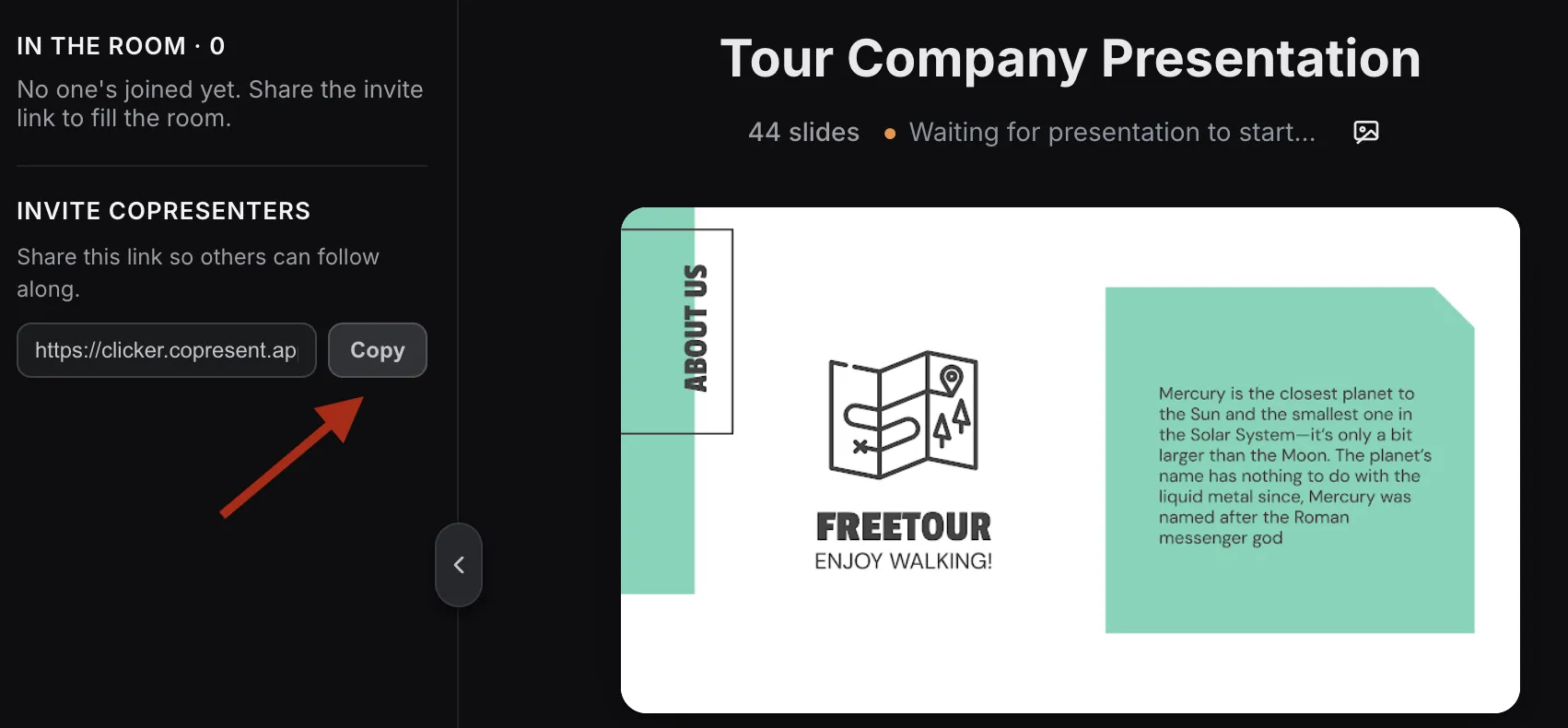
Present as usual and change slides from your phone. To share control, copy the guest invitation link and send it to your co-presenters.
No. Copresent is a separate product built for a different problem: several presenters controlling the same deck. Remote for Slides is an independent project by Henry Lim. We’re not affiliated with it.
Yes. They are separate Chrome extensions. Use Remote for Slides when you present alone, and Copresent when someone else presents with you.
No. Only the host installs Copresent and signs in with Google. Co-presenters open the invitation link in any browser, on a phone, tablet or laptop.
No. The Copresent remote opens in your phone’s browser, on iPhone or Android.
No. Both connect to Copresent over the internet, so your phone can use Wi-Fi or mobile data. A co-presenter can be in another city.
No. Copresent works with Google Slides only.
Change slides, read your notes, and take audience questions.