Take audience questions. On a call or on stage.
Show a QR code on your Google Slides or share a link in the call. Your audience asks questions from their phones. You read and manage them from yours.
- Step 1
Open Q&A in your controller.
With your Google Slides presentation connected to Copresent, open the Q&A tab and tap Start Q&A. Your audience QR code and link are ready to share.
You can do this from your phone or laptop. Questions arrive in the same panel, so you can keep presenting while they come in.
New to Copresent? Connect your presentation first.Your Q&A controls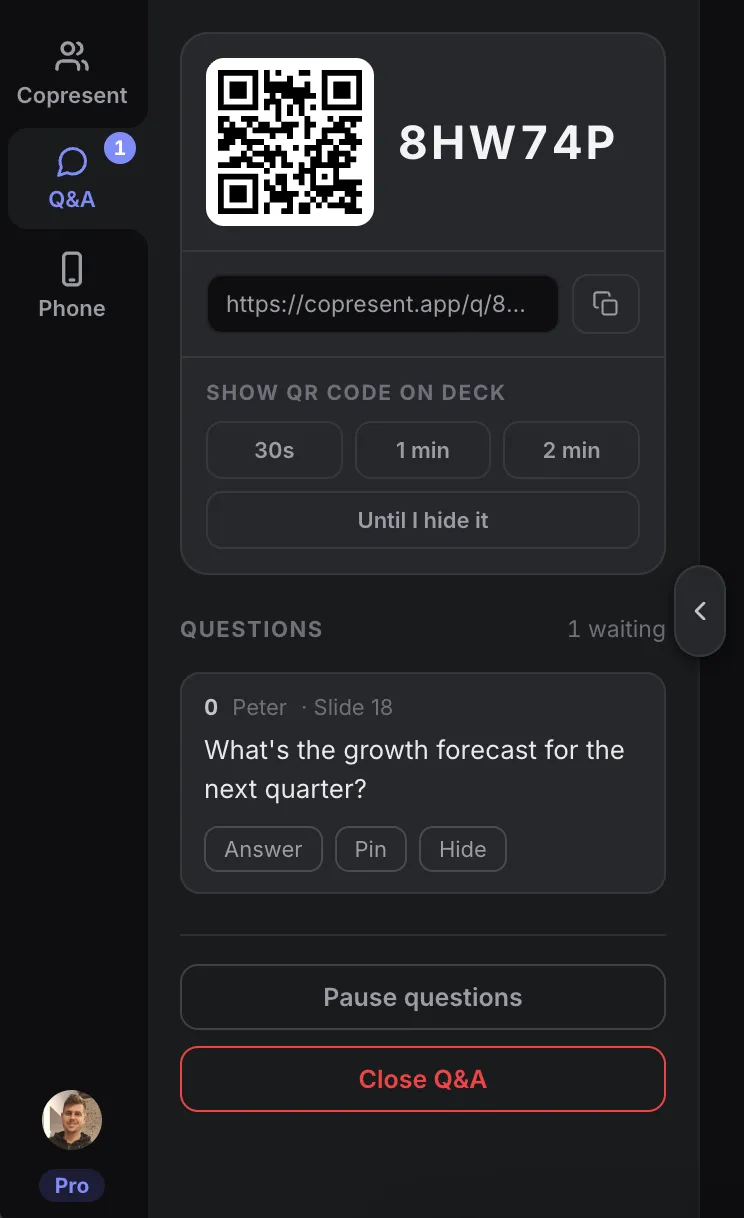
The host panel after starting Q&A. - Step 2
Give your audience a way to join.
Tap a duration under Show QR code on deck. The code appears over your presentation for 30 seconds, one minute, two minutes, or until you hide it.
What your audience sees on the slide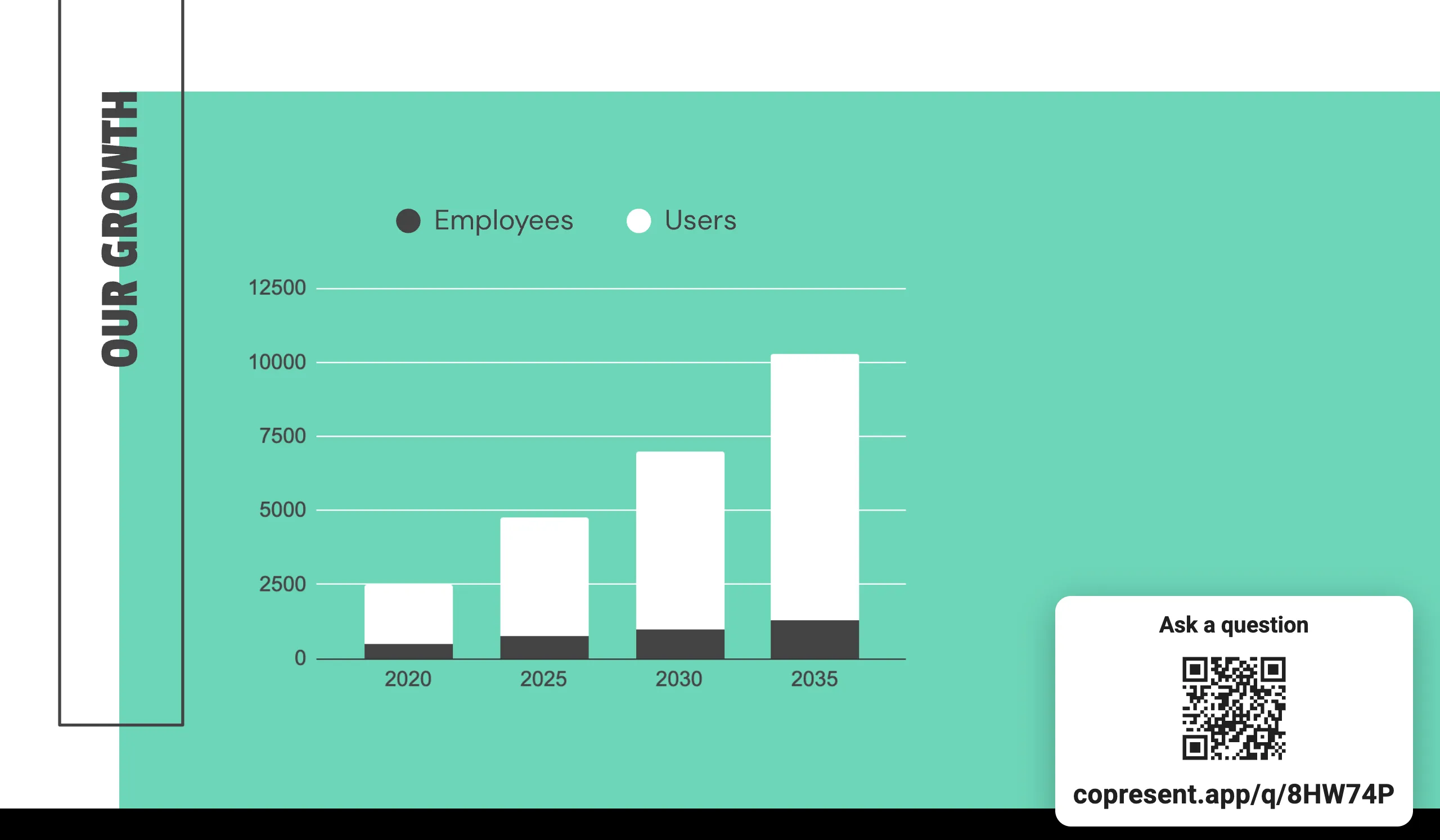
Example presentation. Your session has its own QR code and link. - Step 3
Let people ask and vote.
The link opens a question page in their browser. No app or account needed. People type a question, add their name or stay anonymous, and tap Ask.
They can also vote on questions others have asked. Each question is tagged with the slide that was showing when it was sent.
The audience’s question page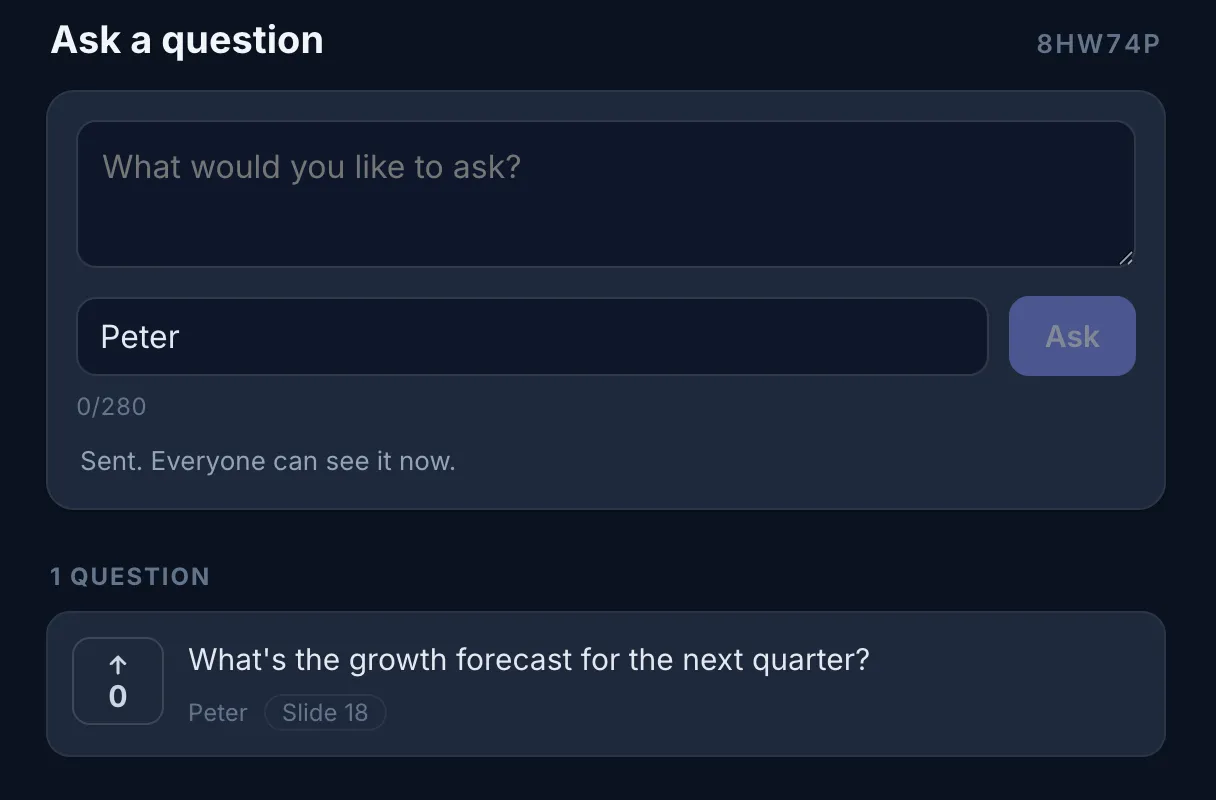
- Step 4
Answer from your phone.
Read incoming questions in the Q&A panel on your phone or laptop. Answer out loud when it suits your presentation, then mark the question answered.
Choose what to discuss
Check the votes and slide number. Pin a question to keep it in view, or hide one you don’t want to show.
Take a break from questions
Tap Pause questions while you focus on a demo or discussion. Resume when you are ready.
Questions about audience Q&A
Does the audience need an app or account?
No. People scan the QR code, use the room code, or open the audience link in their browser. They can add a name or ask anonymously.
Can the audience move my slides?
No. Audience Q&A access is separate from presenter invitations and does not give slide control.
Can I stop new questions during a presentation?
Yes. Pause question intake from the host controller, then resume when you are ready.
How do I know which slide a question is about?
Questions are tagged with the slide that was showing when they were submitted. You can use that context when answering.
Does Google Slides have its own Q&A?
Yes. Google Slides has a built-in audience Q&A feature. Copresent combines QR joining, slide-associated questions, and moderation with your slide remote and speaker notes.
Use your phone to
control Google Slides.
Change slides, read your notes, and take audience questions.